Pybind11
Install
wget https://github.com/pybind/pybind11/archive/v2.9.1.tar.gz
Build
CMakeLists.txt
add_subdirectory (third_party/pybind11-2.9.1)

pybind11_add_module (lib_cpp lib.cpp)
target_link_libraries (lib_cpp PRIVATE pybind11::module)
Usage
Basics
lib.cpp
#include <pybind11/pybind11.h>

void my_func(const int input) {
}

class MyClass {
public:
  MyClass() {
  }
};

PYBIND11_MODULE(lib_cpp, m) {
  namespace py = pybind11;
  using namespace pybind11::literals;

  m.def("my_func", &my_func, "input"_a);

  py::class_<MyClass>(m, "MyClass")
    .def(py::init<>());

}
Embed
project(test)
cmake_minimum_required(VERSION 3.10)

add_subdirectory(third_party/pybind11-2.9.1)

add_executable(lib_cpp lib.cpp)
target_link_libraries(lib_cpp PRIVATE pybind11::embed)
#include <pybind11/embed.h>
namespace py = pybind11;

int main() {
  py::scoped_interpreter guard{};
  auto plt = py::module_::import("matplotlib.pyplot");
  auto np = py::module_::import("numpy");
  py::list x = np.attr("linspace")(0, 10, 100);
  py::list y = np.attr("sin")(x);
  plt.attr("plot")(x, y);
  plt.attr("grid")();
  plt.attr("tight_layout")();
  plt.attr("savefig")("plot.svg");
}
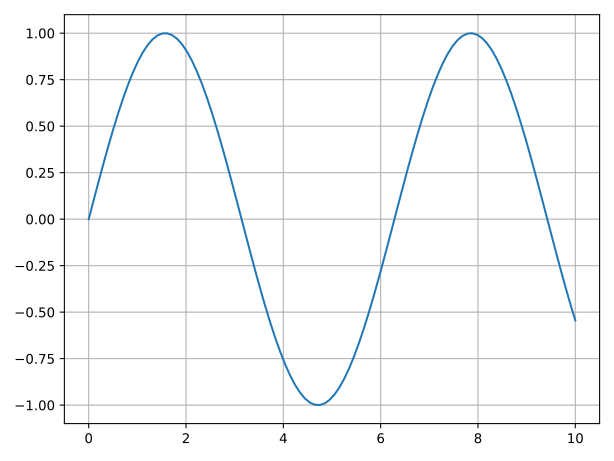
Output:
Or as OpenCV Mat:
#include "opencv2/opencv.hpp"

#include <pybind11/embed.h>

// [...]

figure.attr("canvas").attr("draw")();
auto buffer = figure.attr("canvas").attr("tostring_rgb")().cast<std::string>();
auto shape = figure.attr("canvas").attr("get_width_height")().cast<py::tuple>();
auto width = shape[0].cast<int>();
auto height = shape[1].cast<int>();

cv::Mat img(cv::Size{width, height}, CV_8UC3);
std::copy(buffer.data(), buffer.data() + width*height*3*sizeof(uint8_t), img.data);

cv::cvtColor(img, img, cv::COLOR_RGB2BGR);
cv::imshow("", img);
cv::waitKey(0);
find_package(OpenCV)

add_executable(lib_cpp lib.cpp)
target_link_libraries(lib_cpp
  PRIVATE
  pybind11::embed
  opencv_core
  opencv_imgproc
  opencv_highgui)
Vector to python list
#include <pybind11/stl.h>

// [...]

auto x = py::cast(std::vector<double> {1,2, 3, 4, 5, 6, 7,8, 9, 10});
auto y = py::cast(std::vector<double> {1, -1, 3, 1, -3.3, 1, 2, 5,4,3});